April 1st passes, and the jokes and deceptive announcements characteristic of April Fools' Day fade away.
Unfortunately, scammers aren't taking a break.
Spring marks one of the peak periods when cybercriminals intensify their attacks—not due to workplace negligence but because everyone is busy, distracted, and rushing through tasks. This environment allows nearly convincing scams to slip past undetected, blending seamlessly into daily routines until it's too late.
Here are three ongoing scams preying not on the gullible but on vigilant, well-intentioned employees trying to stay on track.
As you review these, consider: Does my team consistently take enough time to recognize these threats?
Scam #1: The False Toll or Parking Fee Alert
An employee receives a text saying:
"You owe $6.99 in unpaid tolls. Please pay within 12 hours to avoid penalties."
The message includes a familiar toll service—E-ZPass, SunPass, FasTrak—matching the recipient's location. The small charge seems harmless, so amidst a busy schedule, they click, pay, and move on.
But the link is a trap.
The FBI reported over 60,000 complaints about these fake toll messages in 2024 alone, with a staggering 900% increase in 2025. Security researchers uncovered 60,000+ fraudulent domains mimicking official toll agencies—a sophisticated network fueled by lucrative scams. Some messages even target individuals in states lacking toll roads.
This scam succeeds because the modest fee seems low-risk, while recent toll usage or downtown parking makes the message feel credible.
The key defense: Official toll providers never request immediate payment via text. Smart companies enforce strict policies—no payments through text links. If there's doubt, employees verify directly on official websites or apps without responding to texts, not even with "STOP," as replying confirms active numbers inviting further attacks.
Ease tempts victims; disciplined procedures provide protection.
Scam #2: "Your Document Is Ready" Email
This scam blends effortlessly with daily workflows.
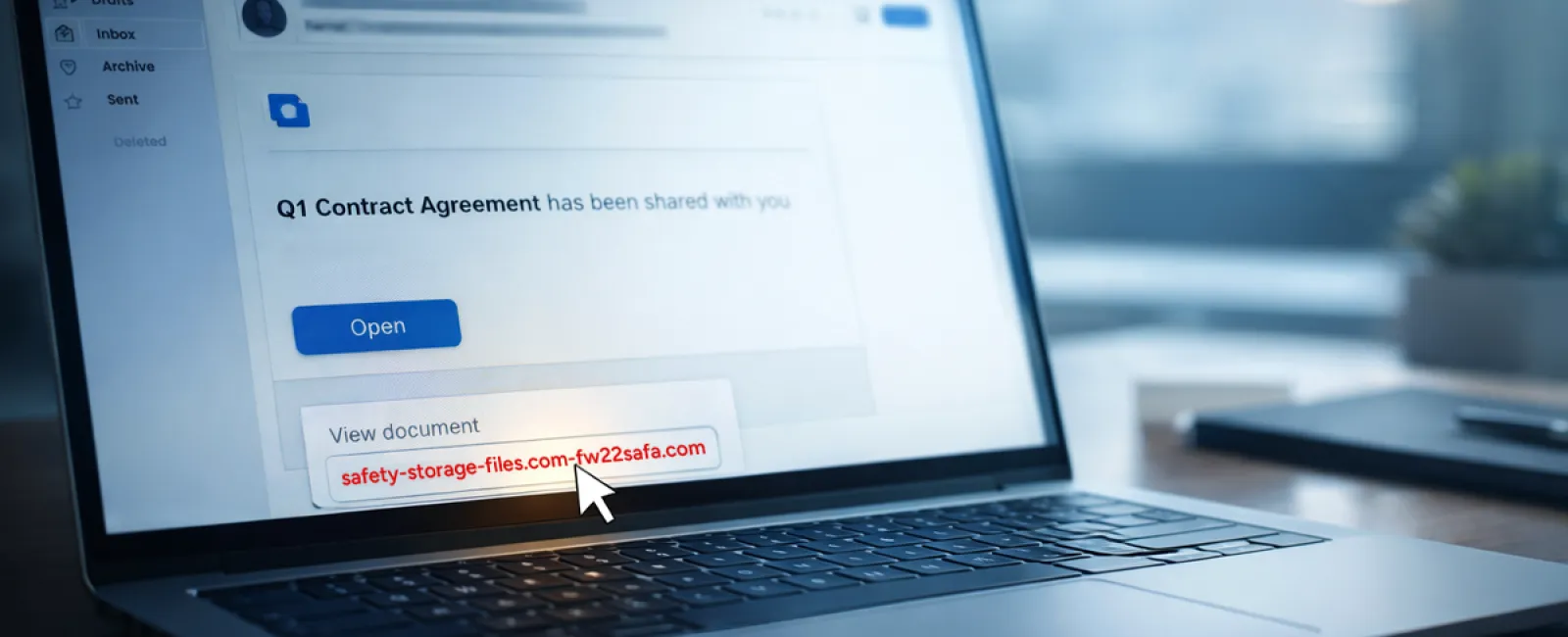
An employee receives an email claiming a document has been shared—maybe a contract via DocuSign, a spreadsheet on OneDrive, or a Google Drive file.
The sender looks legitimate, the email format matches usual notifications.
They click and are prompted to log in, unknowingly handing over their work credentials.
Now hackers have access to your company's cloud environment.
Such campaigns surged significantly, with phishing attacks leveraging trusted platforms like Google Drive, DocuSign, Microsoft, and Salesforce increasing by 67% in 2025, according to KnowBe4's Threat Labs. Specifically, phishing links via Google Slides jumped over 200% in half a year.
Worryingly, employees are seven times more likely to click these malicious links when from OneDrive or SharePoint because the notifications look genuine.
Modern threats are even more insidious—attackers compromise accounts to create files and send share notifications directly from reputable servers, bypassing spam filters.
Prevention tip: Train staff not to click unexpected shared file links in emails. Instead, they should log in directly to the platform to confirm file authenticity. Businesses can also lower risk by disabling external sharing and enabling alerts for unusual logins—simple IT settings that take minutes to apply.
Consistent caution delivers powerful protection.
Scam #3: The Exceptionally Polished Email
Gone are the days when phishing emails were easy to spot due to poor spelling and odd formatting.
A recent 2025 study revealed AI-crafted phishing emails yielded a 54% click-through rate, over four times higher than human-written phishing at 12%. These messages appear legitimate—referencing real company names, titles, and processes scraped from LinkedIn and corporate sites.
Targeting has become highly specific: HR teams receive fake employee verifications; finance departments see vendor payment change requests. One trial found 72% of employees interacted with vendor impersonation emails—90% more than other phishing types. These messages are professional, calmly urgent, and resemble routine work inbox traffic.
Defense strategy: Verify any requests involving credentials, payments, or sensitive data through a secondary contact method—be it a call, chat, or face-to-face check. Employees should hover over senders' email addresses to inspect domains before clicking. Any attempt to rush decisions should raise suspicion.
True security doesn't rely on panic but on vigilance.
Key Takeaway
These scams capitalize on trust, authority, timing, and the false belief that "this will only take a moment."
The real vulnerability lies not in careless employees but in processes assuming everyone will always slow down and make flawless choices under pressure.
A single hurried click shouldn't cripple your business—that's a system flaw, not a human error.
Fortunately, these system weaknesses can be addressed and strengthened.
How We Support You
Most business leaders don't want an extra project or to become the security trainer responsible for identifying threats.
They want assurance that their company is shielded from hidden dangers.
If you worry about your team's exposure—or know another business owner who should—you're invited to a candid discovery call.
We'll discuss:
- The current risks businesses like yours face
- How threats infiltrate through everyday tasks
- Effective steps to reduce risk without disrupting workflow
No pressure, no scare tactics—just an honest dialogue about securing your team and options for mitigating vulnerabilities.
Click here or give us a call at 920-818-0900 to schedule your free 15-Minute Discovery Call.
If this doesn't suit you, feel free to share this with someone who'd benefit. Often, recognizing a threat is enough to transform a "would have clicked" into a "nice try."


